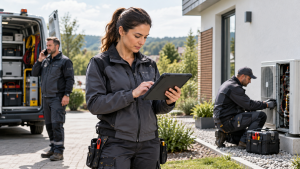
Mobile devices are now essential to mobile field service operations. Technicians use smartphones and tablets to receive work orders, check customer and asset information, document repairs, capture photos, communicate with the office, and close jobs in real time.
Because these devices provide access to valuable operational data, mobile security is no longer just an IT concern. A lost phone, malicious application, phishing message, or unsafe network connection can expose customer information and disrupt daily service delivery. The challenge is to protect devices and data without making technicians’ jobs slower or more complicated.
Here are five practical ways organisations can strengthen mobile security while keeping field operations productive.

1. Protect Data with Encryption and Strong Authentication
Encryption is one of the most important foundations of mobile security. It protects information stored on the device and data travelling between mobile applications and business systems. If a device is lost or stolen, encrypted information remains far more difficult to access without authorisation.
Strong authentication adds another layer of protection. Rather than relying only on passwords or simple PINs, organisations should use multi-factor authentication whenever possible. Combining a password with a registered device, fingerprint, or facial recognition makes unauthorised access significantly harder.
For mobile field service teams, these protections should work quietly in the background. Security is most effective when technicians can authenticate quickly without unnecessary disruption to their workflow.
2. Keep Devices, Applications, and Connections Secure
Outdated operating systems and applications can contain vulnerabilities that attackers may exploit. Automatic updates help maintain a consistent security baseline across field devices without depending on technicians to install every patch manually.
Network connections also need careful management. Field employees regularly connect from customer sites, hotels, public spaces, and other locations outside the company network. Public Wi-Fi should be avoided where possible, and secure encrypted connections should be used when accessing company systems or sensitive information.
Bluetooth and automatic Wi-Fi connections should also be disabled when they are not required. Simple connectivity rules can significantly reduce unnecessary exposure without affecting normal mobile field service activities.
3. Control Devices and Applications Centrally
Managing mobile devices one by one quickly becomes impractical as field teams grow. Centralised device management allows organisations to apply consistent security policies across smartphones and tablets, including password requirements, approved applications, encryption settings, and remote locking or data removal.
This is particularly important when employees use personal devices for work. Keeping professional and personal information separated helps protect both company data and employee privacy.
Industry guidance from organisations such as the National Institute of Standards and Technology (NIST) also recommends a structured approach to enterprise mobile device management throughout the device lifecycle. For large mobile field service teams, central control makes it easier to maintain security standards without relying entirely on individual users.
4. Reduce Human Risk Through Clear Policies and Training
Technology alone cannot prevent every security incident. Phishing, deceptive messages, and social engineering often target employees rather than technical systems, making awareness an essential part of mobile protection.
Field workers should receive practical training on recognising suspicious links, protecting login credentials, reporting lost devices, and handling customer information responsibly. Guidance should be clear and relevant to the situations employees actually encounter while working outside the office.
A simple mobile usage policy can reinforce these expectations by defining which apps may be installed, how devices should connect to networks, and what employees should do if a device is lost or compromised. For mobile field service, straightforward rules are usually more effective than complex policies that are difficult to apply during busy working days.
5. Build Security into Everyday Field Operations
Mobile security should not be treated as a one-time configuration exercise. Devices and applications need regular monitoring, testing, backups, and review as threats and working practices change.
Operational data such as job reports, photographs, signatures, and customer records should be backed up automatically so that information remains available if a device is damaged, lost, or remotely wiped. Applications should also be tested regularly for vulnerabilities and updated when security weaknesses are identified.
Small daily habits make a significant difference. Locking devices when not in use, avoiding unnecessary applications, keeping software updated, and reporting problems quickly all contribute to a stronger security environment.
For mobile field service organisations, the goal is not to restrict mobility but to make it safer. The best security measures support technicians rather than interrupt them, creating a controlled environment where employees can access the tools and information they need without exposing the business to unnecessary risk.
By combining encryption, strong authentication, secure connectivity, centralised management, employee training, and continuous monitoring, organisations can protect their mobile operations while maintaining the speed and flexibility that field service teams depend on.
Download Synchroteam’s free demo for your field service organization!
Image by Sergey Sergeev